 FontQuill
Signature font generator
Type your name and see it in 8 signature fonts, from flowing Great Vibes to bold Mr Dafoe. Choose black or blue ink and download a transparent PNG for your email signature, a PDF or a letterhead. We tested every style for readability and accents, and under the generator you can turn your own handwritten signature into a real font.
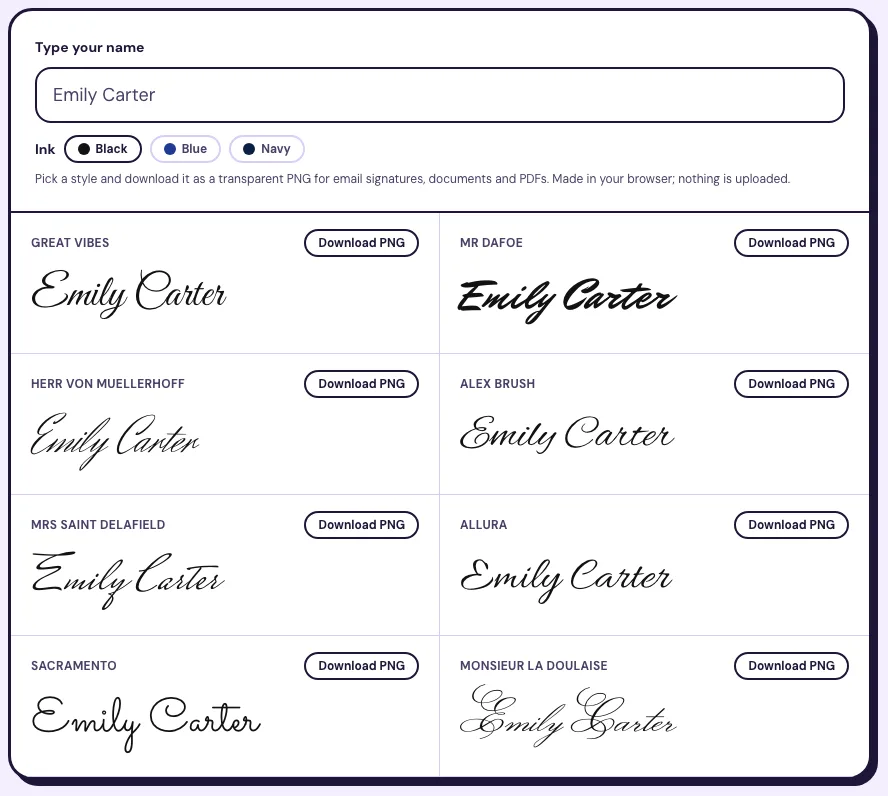
Pick a style and download it as a transparent PNG for email signatures, documents and PDFs. Made in your browser; nothing is uploaded.
- Great Vibes
Emily Carter
- Mr Dafoe
Emily Carter
- Herr Von Muellerhoff
Emily Carter
- Alex Brush
Emily Carter
- Mrs Saint Delafield
Emily Carter
- Allura
Emily Carter
- Sacramento
Emily Carter
- Monsieur La Doulaise
Emily Carter
Signature font generator tested: what the PNGs really do
Most signature font generators show you pretty names and stop there. We exported every style on this page, ran the files through a text recognizer, checked accented names and compared files byte by byte, so you know which signature font to pick before it goes into an email or a contract.
Test of 18 November 2026: Chrome on macOS, the PNGs downloaded from the tool above, OCR by macOS Vision (accurate mode, no autocorrect), 2 names × 8 fonts at full size and at 50 px high.
13 of 16
Readable at full size
The recognizer read 13 of 16 full-size signatures exactly. Shrunk to 50 px, the height of an email signature, only 9 of 16 came back right. Great Vibes and Alex Brush were the only fonts read correctly every time.
8 of 8
Identical files for everyone
Typing the same name in the same font gave a byte-identical PNG in all 8 fonts (same SHA-256 hash). A typed signature is a style anyone can recreate in seconds, not a mark that proves it was you.
4 of 8
Fonts missing letters
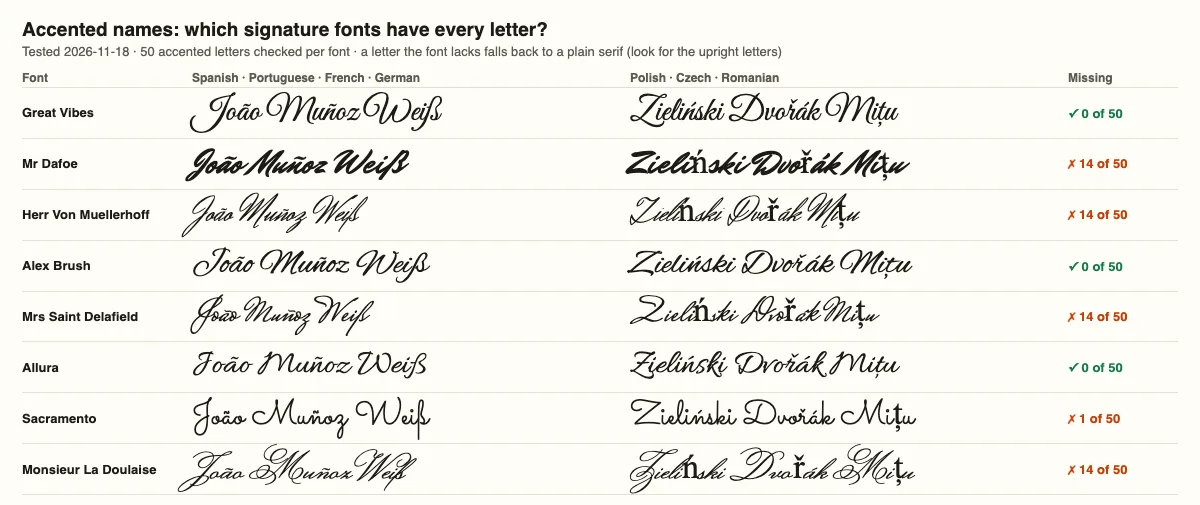
All 8 fonts have every Spanish, Portuguese, French, German and Italian letter we tried (ñ, ç, ã, ß, ü, è). Four of them lack 14 Polish, Czech, Hungarian and Romanian letters such as ń, ř, ő and ț, which then show in a plain upright font.
44 KB
Small, transparent PNG
An average export is 44 KB and about 820 × 250 pixels with a transparent background, sharp enough for a PDF and light enough for an email signature.
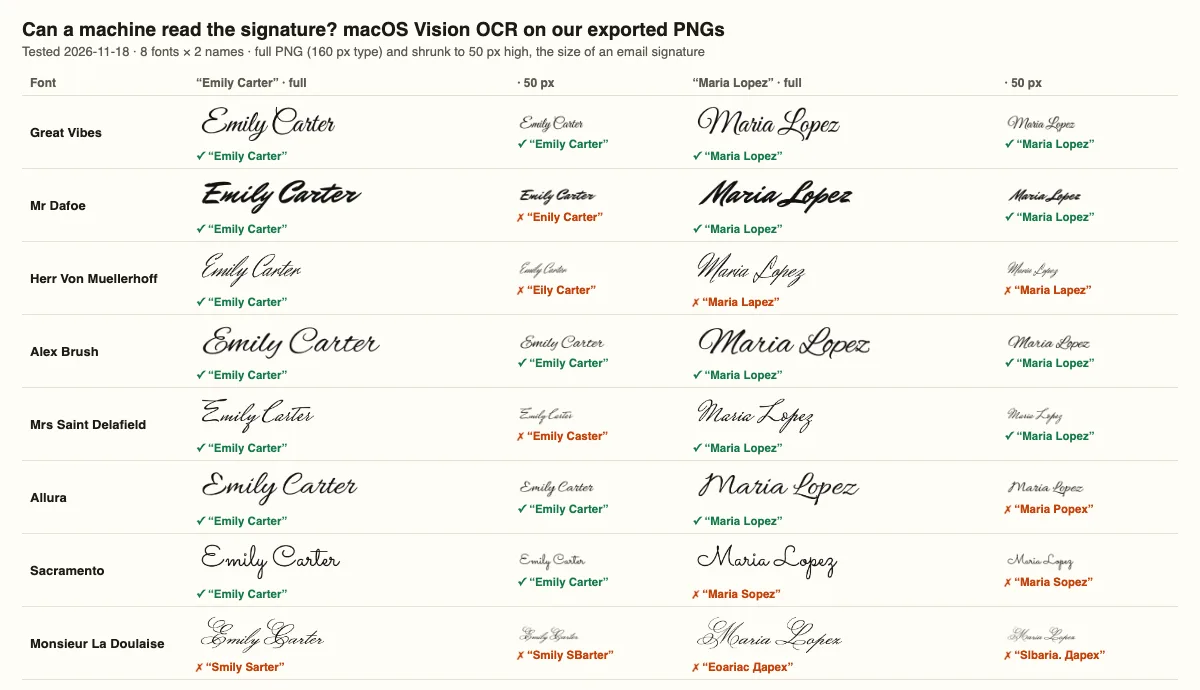
| Font | OCR, full size | OCR, 50 px | Missing letters (of 50) | PNG of “Emily Carter” |
|---|---|---|---|---|
| Great Vibes | 2/2 | 2/2 | 0/50 | 767 × 244 px · 39.7 KB |
| Alex Brush | 2/2 | 2/2 | 0/50 | 845 × 204 px · 37.2 KB |
| Allura | 2/2 | 1/2 | 0/50 | 834 × 229 px · 42.4 KB |
| Mr Dafoe | 2/2 | 1/2 | 14/50 | 865 × 232 px · 38 KB |
| Mrs Saint Delafield | 2/2 | 1/2 | 14/50 | 772 × 287 px · 46.1 KB |
| Sacramento | 1/2 | 1/2 | 1/50 | 904 × 278 px · 43.4 KB |
| Herr Von Muellerhoff | 1/2 | 0/2 | 14/50 | 687 × 285 px · 48.4 KB |
| Monsieur La Doulaise | 0/2 | 0/2 | 14/50 | 853 × 295 px · 56.3 KB |
Where a typed signature works, and where it does not
Email signature
Use Great Vibes or Alex Brush: they stayed readable at 50 px. Insert the PNG under your name and title, and keep your name also in plain text for people who block images.
Signing a PDF
Place the PNG in Preview, Acrobat or a phone PDF app. For a binding contract, use the signing service the other side asks for; the image itself proves nothing.
Letterhead, cards, invitations
Any of the 8 fonts works on a printed name. For a signature that is really yours, turn your own handwriting into a font with the tool below.
Turn your real signature into a font
The styles above are public fonts. Below, photograph your own handwriting (or fill in our template) and FontQuill builds a TTF and OTF font of your letters, so your signature in Word, Canva or a PDF is really yours. Free preview with your 150 sign-up credits.
Free account includes 150 credits: enough to make and preview your first font. Credits come back if a font fails.
Real results: handwriting photo in, font out
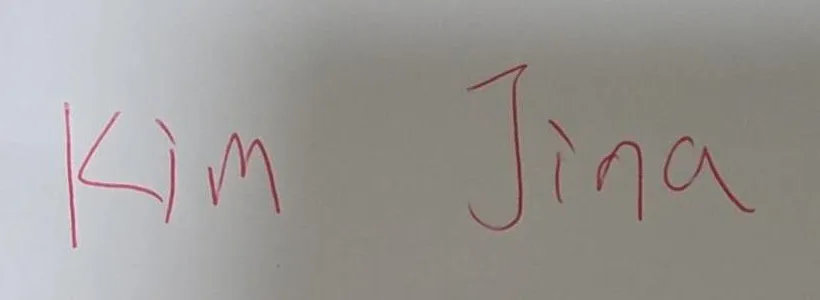
Two images uploaded to “My handwriting” and the fonts FontQuill made from them. Letters the photo does not show were drawn in the same hand. The text on the right is set in the generated font, so type your own words to try it.
Kim Jina
ABCDEFGHIJKLM NOPQRSTUVWXYZ
abcdefghijklm nopqrstuvwxyz
0123456789 &?!
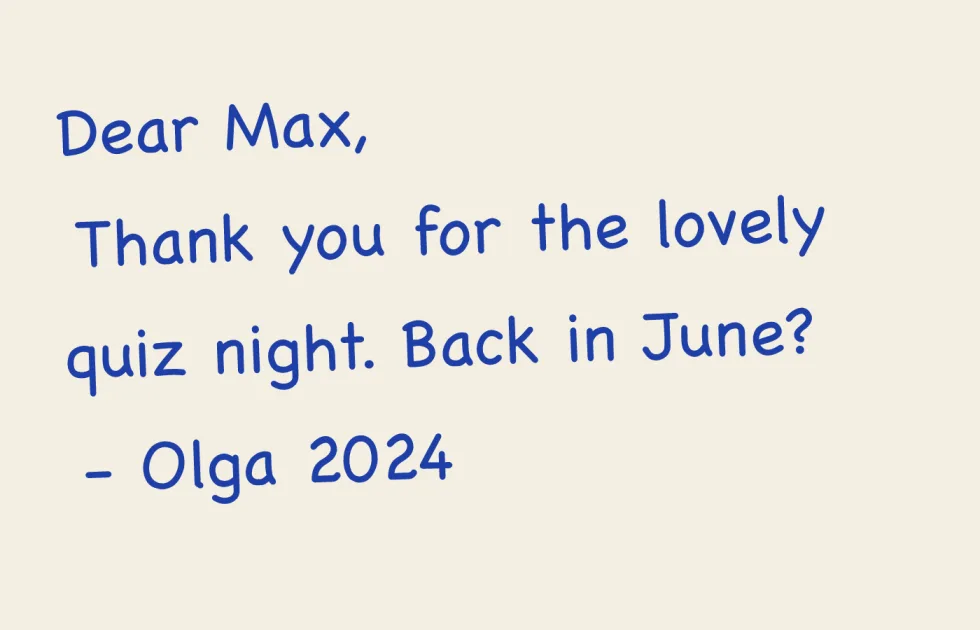
Dear Max, back in June?
ABCDEFGHIJKLM NOPQRSTUVWXYZ
abcdefghijklm nopqrstuvwxyz
0123456789 &?!
How to use the signature font generator
Type your name the way you sign it: full name, initial and surname, or first name only. The signature font generator shows it at once in 8 signature fonts. Pick an ink color (black, blue or navy) and press Download PNG on the style you like. The file has a transparent background, so it sits cleanly on white paper, a colored email footer or a scanned form. Everything happens in your browser: your name is not sent to us or stored. You get 5 free downloads without an account and unlimited downloads with a free account. Try a few versions; a short signature such as "E. Carter" often looks more natural than a long full name.
Which signature font to choose
A good signature font looks handwritten and still reads as your name. In our test (see the results above) Great Vibes and Alex Brush were the clear winners: a text recognizer read both names correctly at full size and at 50 pixels high. Allura is lighter and elegant, Mr Dafoe is a bold marker signature that stays strong when printed, and Sacramento has a thin, upright monoline look. Herr Von Muellerhoff and Mrs Saint Delafield look the most like a quick real signature, with low, fast strokes, but they lose letters when small. Monsieur La Doulaise has huge looping capitals: beautiful on an invitation, too ornate for an email signature. If your name has Polish, Czech, Hungarian or Romanian letters, use Great Vibes, Alex Brush or Allura, the three fonts that had all 50 accented letters we tested.
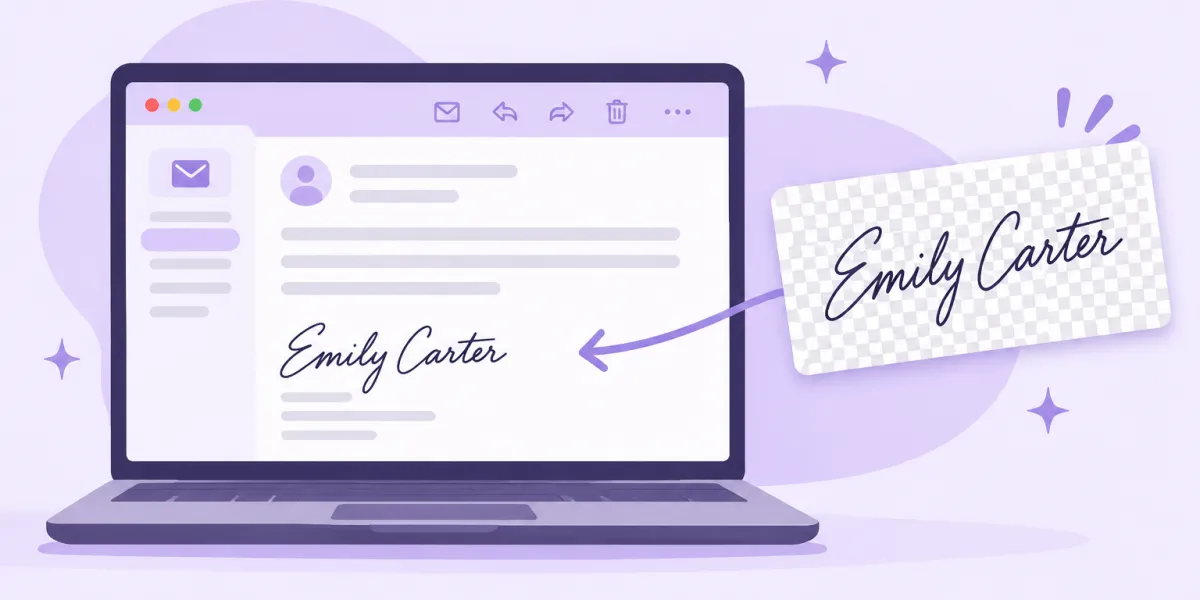
Add your signature to Gmail, Outlook or Apple Mail
In Gmail, open Settings, See all settings, Signature, create a signature and insert the PNG with the image button in the signature toolbar. In Outlook, go to Settings, Signatures and insert the picture into the signature box. In Apple Mail, drag the PNG into the signature editor under Settings, Signatures. Keep the image about 40 to 60 pixels high: bigger signatures look like a banner. Put your name, title and phone number underneath in normal text, because many mail apps block images until the reader allows them and screen readers cannot read a picture. A signature font generator image is a nice touch at the end of a message, not a replacement for your contact details.
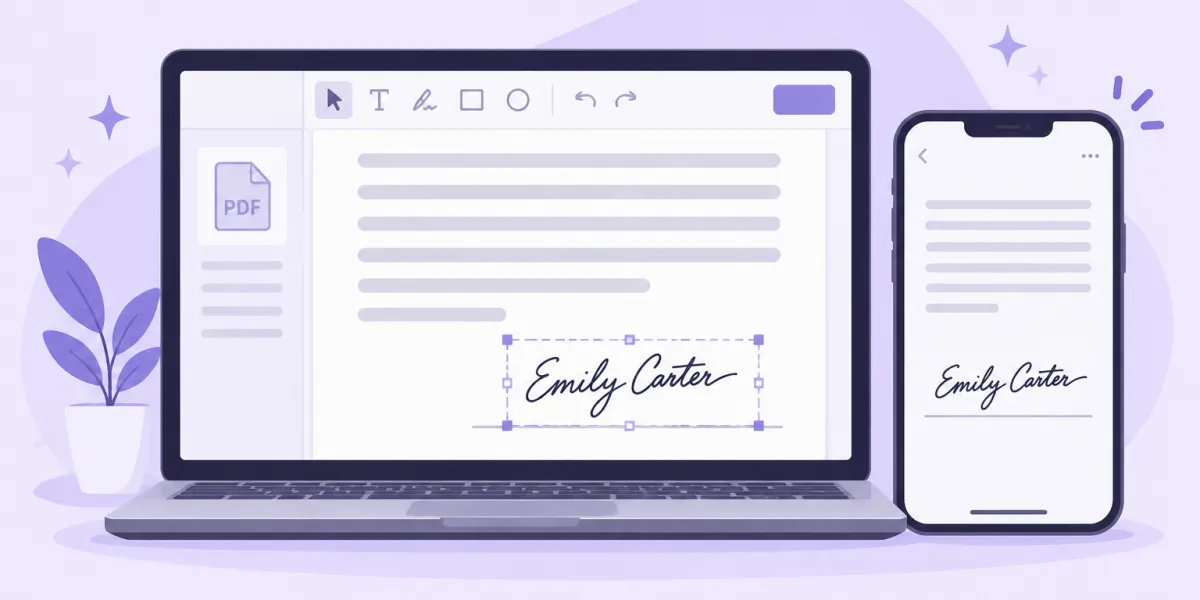
Signing a PDF with your signature image
To sign a PDF, open it in Preview on a Mac, Adobe Acrobat Reader or a PDF app on your phone, choose to add an image or a signature, and place the PNG on the line. Because the background is transparent, the signature sits over the line like ink. For everyday papers, such as a school form, a rental application or a delivery note, that is usually all you need. In the United States the ESIGN Act and UETA accept electronic signatures, typed names included, when both sides agree to sign electronically and you clearly mean to sign. Some documents are exceptions, such as wills and certain court or real estate papers, and many banks and employers ask for their own e-signature service with an audit trail. This is general information, not legal advice: when in doubt, ask the person who sent the document how they want it signed.
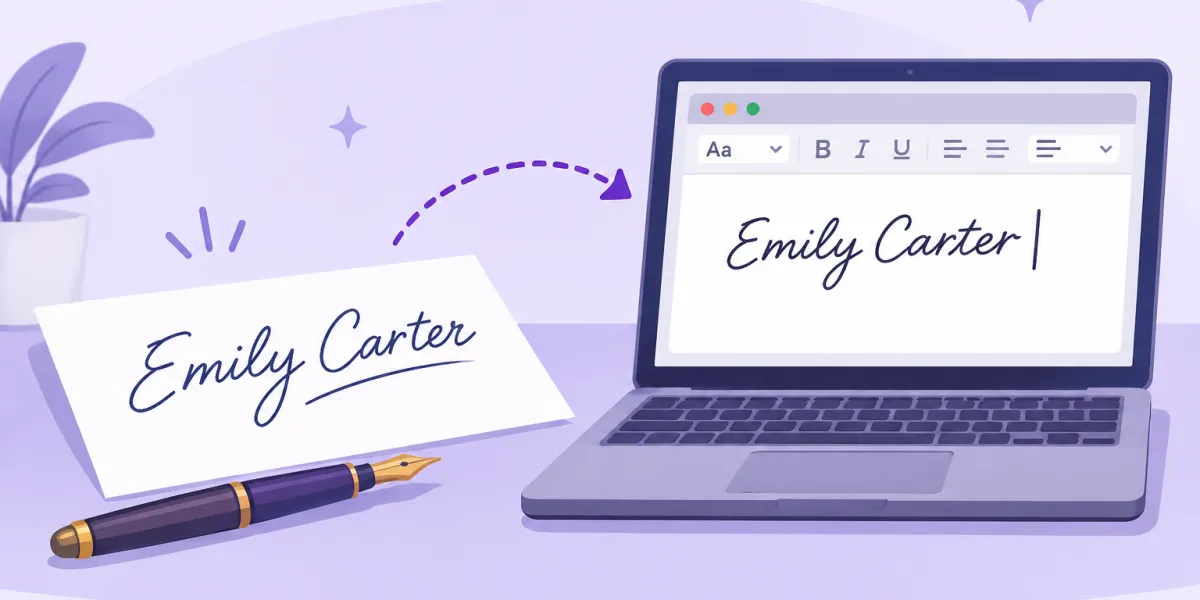
Signature font or your own handwriting?
Every signature font on this page is a public font, so anyone who types your name in it gets exactly the same image. Our test proved it: the same name in the same font gave byte-identical files every time. That is fine for an email footer, but it is not a personal mark. If you want a signature that only you have, use the tool below the generator: photograph a few lines of your own handwriting, or fill in our handwriting font template, and FontQuill builds a TTF and OTF font of your letters. Then type your name in Word, Pages or Canva and it comes out in your hand, every time, at any size. The full process is explained on our handwriting to font page.
Are these signature fonts free to use?
Yes. All 8 fonts in this signature font generator come from Google Fonts and are published under the SIL Open Font License, which allows personal and commercial use. The PNG you download is yours: use it on invoices, letterheads, business cards or a website. We do not add a watermark and we do not keep a copy, since the image is drawn in your browser. If you would rather type with a signature font in your own apps, you can install these fonts free from Google Fonts. For a flowing script you can copy and paste into social bios instead, try our cursive font generator.
What a handwriting font from FontQuill costs
The signature font generator is free. Turning your own handwriting into a font uses credits: an English font costs 100, and a free account starts with 150, so you can make your first font and preview every letter at no cost. To download the font files you need a plan, Starter at $9 a month with 500 credits, Pro at $19 with 5,000 or Studio at $49 with 15,000, or a one-time pack of 300 credits for $9.99 that never expires. Fonts downloaded on Pro, Studio or with a pack may be used commercially; Starter is for personal use. Once you have the TTF, follow our guide on how to install a font to use it everywhere.
Is this signature font generator free?
Yes. Previewing is free and unlimited, and you get 5 PNG downloads without an account. A free account unlocks unlimited downloads.
Which signature font is the most readable?
Great Vibes and Alex Brush. In our OCR test both were read correctly at full size and at 50 pixels high.
Can I use a typed signature on a contract?
In the US, e-signatures including typed names are generally valid under the ESIGN Act when both sides agree. Some documents need a handwritten or certified signature; check with the other party.
Does the PNG have a transparent background?
Yes. It is a transparent PNG of about 820 × 250 pixels, so it sits cleanly on paper, forms and colored email footers.
Is my name saved anywhere?
No. The signature is drawn in your browser and downloaded straight to your device; nothing is uploaded.
Can I make a font from my real signature?
Yes. Use the handwriting tool below the generator: a photo of your writing or our template becomes a TTF and OTF font.
Can I use these signature fonts commercially?
Yes. All 8 fonts are under the SIL Open Font License, which allows commercial use, and the PNG is yours.