 FontQuill
Cursive font generator
Type your text and this cursive font generator turns it into script letters you can copy and paste anywhere, free and without signing up. Need cursive in Word, Canva or Cricut instead? Scroll to the second tool: it draws a real cursive font you can install.
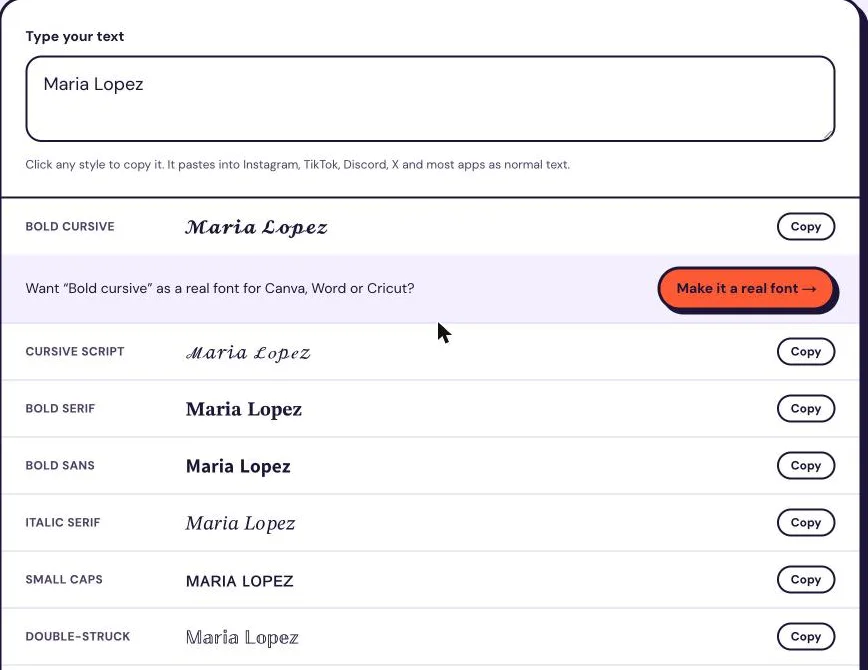
Click any style to copy it. It pastes into Instagram, TikTok, Discord, X and most apps as normal text. Each style shows how many characters it uses, counted the way web text fields count them. Most fancy styles use 2 per letter.
Cursive font generator tested: what works and what breaks
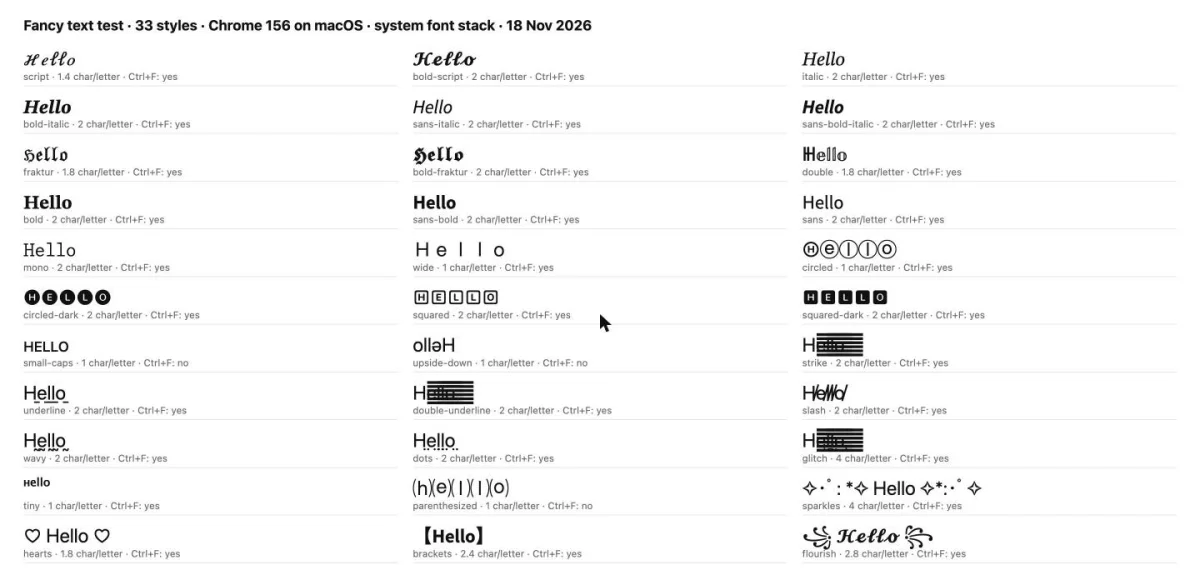
We ran every style of this cursive font generator through the same test: how many characters it really costs, whether search can still find it, and whether it displays. Here is what we measured.
Tested on 18 November 2026 in Chrome 156 on macOS with the system font, using the name “Maria Lopez” and the word “hello”.
2×
Most styles cost 2 characters per letter
Text fields count both halves of these characters. “Maria Lopez” is 11 characters in plain letters, 21 in bold script and 41 in glitch text. Wide, circled, small caps and tiny text cost only 1 per letter.
30/33
Browser search still finds them
Chrome’s find in page (Ctrl+F) matched 30 of the 33 styles when we searched for “hello”. It missed small caps, upside-down and ⒜ letters, which are different characters rather than look-alikes.
3/6
Line styles depend on the font
With the macOS system font, strikethrough, double underline and glitch merged into a solid bar after the first letter, while underline, wavy and dotted lines displayed correctly.
Exact
Exact lookups do not match
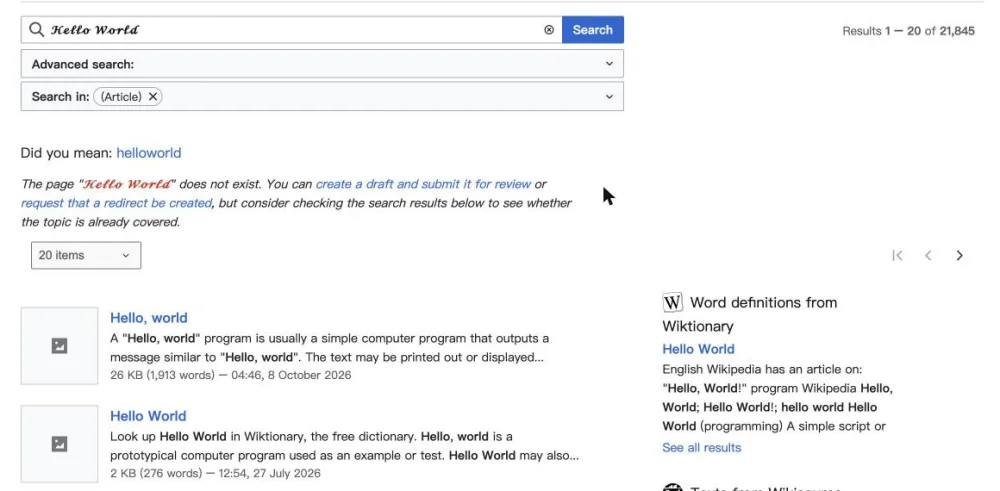
Wikipedia’s search turned “𝓗𝓮𝓵𝓵𝓸 𝓦𝓸𝓻𝓵𝓭” into 21,845 normal results, but its exact page lookup found no page with that title. Hashtags and @usernames work like exact lookups, so keep them in plain letters.
| Style | Example | Characters per letter | “Maria Lopez” costs | Found with Ctrl+F | Displayed correctly (system font) |
|---|---|---|---|---|---|
| Cursive script | ℋℯ𝓁𝓁ℴ | 1.4 | 17 | Yes | Yes |
| Bold cursive | 𝓗𝓮𝓵𝓵𝓸 | 2 | 21 | Yes | Yes |
| Italic serif | 𝐻𝑒𝑙𝑙𝑜 | 2 | 21 | Yes | Yes |
| Bold italic serif | 𝑯𝒆𝒍𝒍𝒐 | 2 | 21 | Yes | Yes |
| Italic sans | 𝘏𝘦𝘭𝘭𝘰 | 2 | 21 | Yes | Yes |
| Gothic | ℌ𝔢𝔩𝔩𝔬 | 1.8 | 21 | Yes | Yes |
| Small caps | ʜᴇʟʟᴏ | 1 | 11 | No | Yes |
| Strikethrough | H̶e̶l̶l̶o̶ | 2 | 21 | Yes | No |
What we recommend, scenario by scenario
A cursive name in your bio
Use bold cursive: it was the clearest script on screen and costs 21 characters for “Maria Lopez”, so a 150-character bio still has room. Keep your name in plain letters somewhere too.
Wedding cards, signs and print
Copied cursive is a string of symbols, not a font, so print software cannot set it nicely. Make an installable cursive font with the maker below and set the text in it.
Cutting names on a Cricut
Design Space needs a font file. Generate the cursive font, install it, type the name and weld the letters before cutting; copied symbols will not cut.
Need a real cursive font file?
Copied cursive works in bios and captions, not in Word, Canva or Cricut. Describe a script below and FontQuill draws an installable TTF and OTF cursive font. Free preview with your 150 sign-up credits.
Free account includes 150 credits: enough to make and preview your first font. Credits come back if a font fails.
Real results: a description in, a font out
Each font below was made from the one-line description on its card, a style preset in the tool. Nothing was retouched: the text is set in the generated font files.
The quick brown fox
ABCDEFGHIJKLM NOPQRSTUVWXYZ
abcdefghijklm nopqrstuvwxyz
0123456789 &?!
The quick brown fox
ABCDEFGHIJKLM NOPQRSTUVWXYZ
abcdefghijklm nopqrstuvwxyz
0123456789 &?!
Real results: handwriting photo in, font out
Two images uploaded to “My handwriting” and the fonts FontQuill made from them. Letters the photo does not show were drawn in the same hand. The text on the right is set in the generated font, so type your own words to try it.
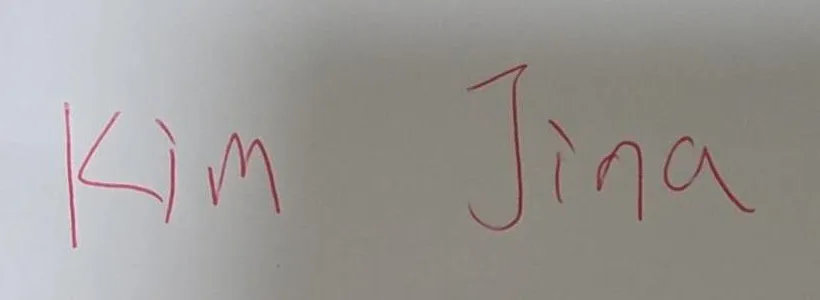
Kim Jina
ABCDEFGHIJKLM NOPQRSTUVWXYZ
abcdefghijklm nopqrstuvwxyz
0123456789 &?!
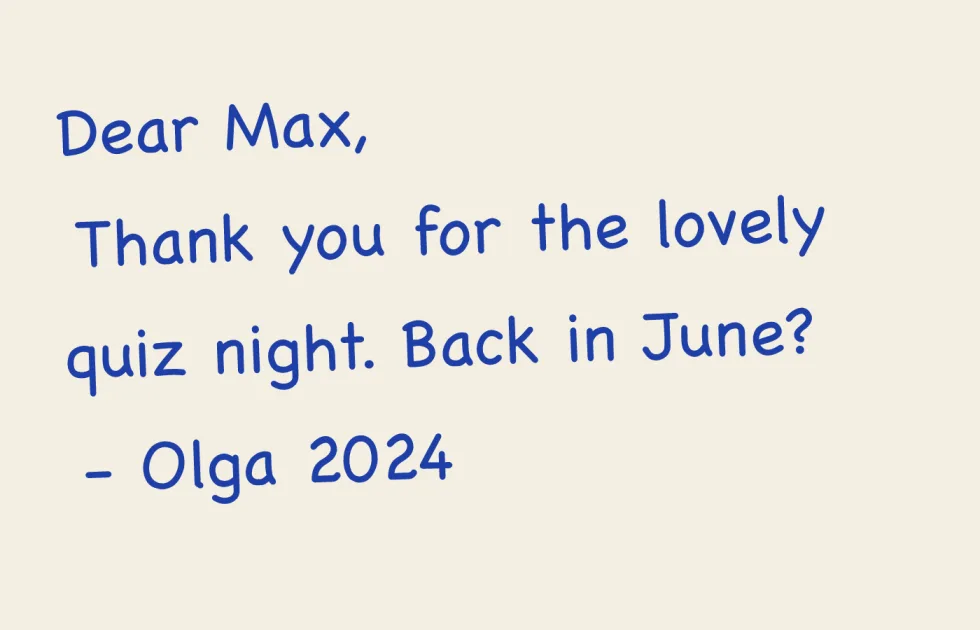
Dear Max, back in June?
ABCDEFGHIJKLM NOPQRSTUVWXYZ
abcdefghijklm nopqrstuvwxyz
0123456789 &?!
How to use the cursive font generator
Type a name, a bio line or a caption into the box at the top. The cursive font generator rewrites it instantly in eight script and italic styles, and "More styles" opens fourteen more, from double-struck to bubble letters. Click any row and the cursive text is copied; paste it into an Instagram bio, a TikTok caption, a Discord nickname, a WhatsApp status or a tweet. Nothing is uploaded: the conversion runs in your browser, so you can try as many versions as you like. Short text works best, such as a name, a handle or one line of a caption, because long paragraphs of cursive are hard to read on a phone.
Cursive text or a cursive font: what is the difference?
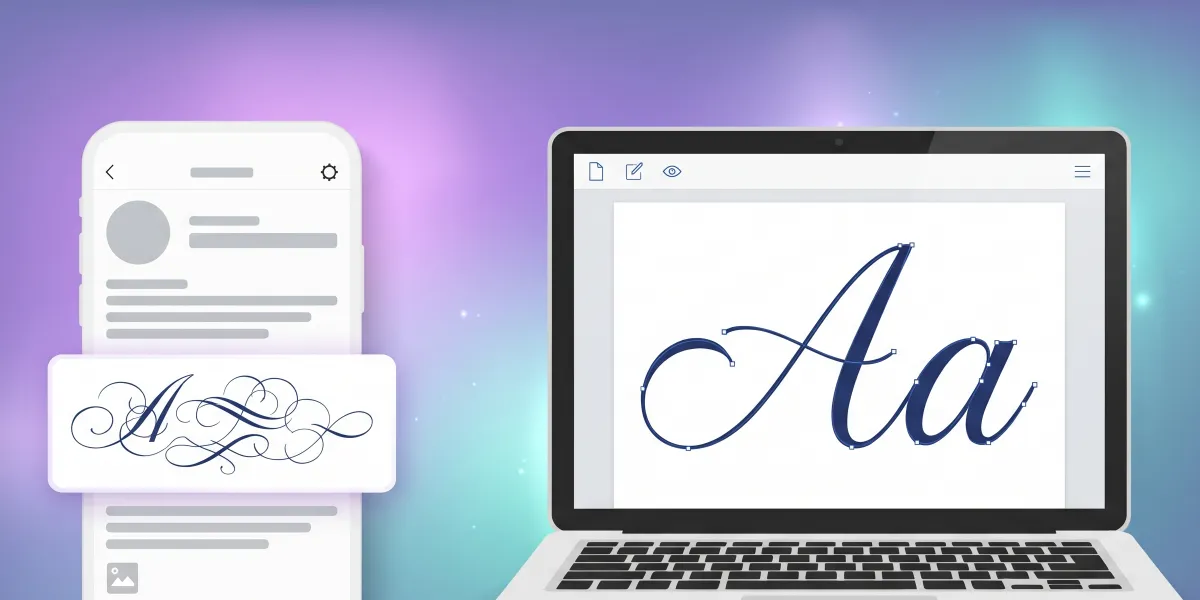
The first tool is a cursive text generator: it swaps each letter for a look-alike Unicode character, for example 𝒶 (mathematical script small a) instead of a. That is why the cursive text survives copy and paste into apps that do not let you choose a font. A cursive font is different: it is a file (TTF or OTF) that changes how normal letters look in every program where it is installed. Copied cursive cannot be installed, comes in a few fixed looks and stops working in software that only shows real fonts. The second tool on this page, an AI font generator, creates an actual cursive font file in a style you describe.
Where copied cursive text works, and where it breaks
Cursive characters from the cursive font generator show up correctly on Instagram, TikTok, X, Discord, Facebook, YouTube comments and most messaging apps on recent phones. They often fail in three places. Some older Android phones and smart TVs have no glyphs for these characters and show empty boxes. Screen readers read them one by one as "mathematical script capital H" instead of a word, so never put important information, such as a price or a date, in cursive text. Username fields often reject them, and in our test exact lookups did not match them (big search engines did), so keep the words people search for in plain letters. Use cursive text for decoration and keep key words in plain letters.
The cursive styles in this generator
Cursive script is the classic copperplate look, and bold cursive is the same script with heavier strokes that reads better on small screens. Italic serif and italic sans lean without joining, which looks tidy in a bio. Gothic gives blackletter and small caps gives a quiet, elegant label. You may notice that a few script capitals such as ℬ, ℰ, ℋ and ℛ, and the small ℯ, ℊ and ℴ, look slightly different from their neighbours: Unicode encoded those letters decades earlier as physics symbols (see the Mathematical Alphanumeric Symbols chart), so they come from another character block and every cursive font generator has the same quirk. Numbers have no cursive version in Unicode, so digits stay as they are.
Make a real cursive font you can install
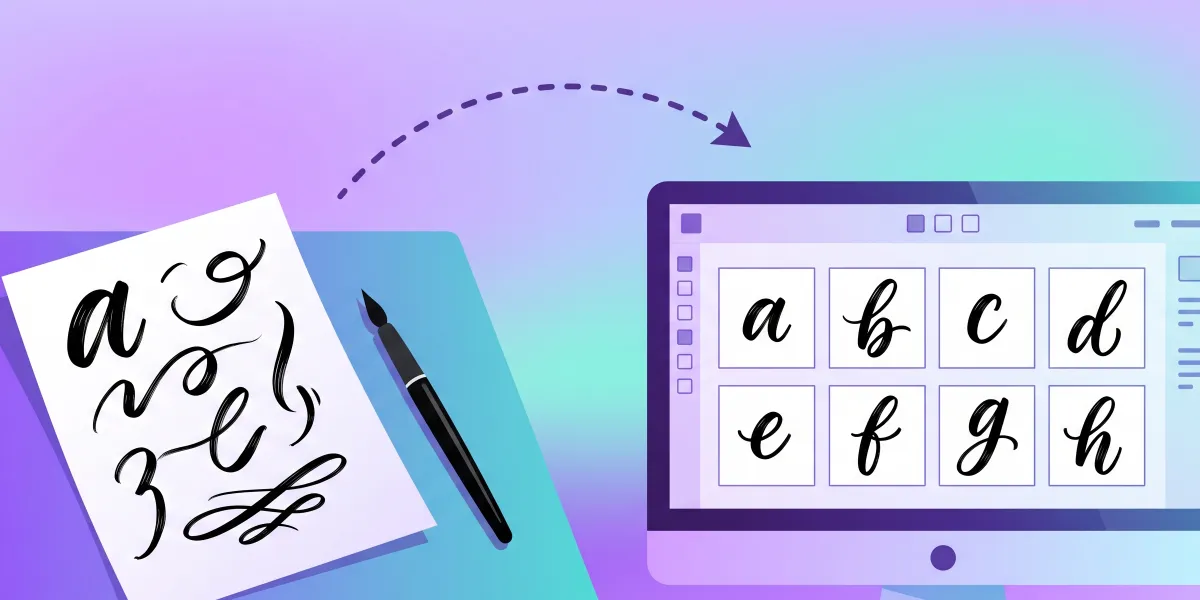
The second tool is a real cursive font generator. It starts with a brush script description already filled in: thick downstrokes, thin upstrokes and long looping capitals. Change it to the cursive you want, such as "formal copperplate script, thin and very slanted", "bouncy modern calligraphy" or "neat school cursive, rounded, medium weight", and press Make. FontQuill draws all 133 characters, A–Z, a–z, numbers, punctuation and symbols, in that cursive style, then spaces and kerns them. In 1–3 minutes you see every letter in a free preview and can type your own words before you download TTF, OTF, WOFF2 and WOFF files and install the font on your computer.
What to expect from a generated cursive font
Every letter in the cursive font is its own shape, placed close to its neighbours. Strokes that end on the baseline make words look joined at normal sizes, but the font does not include the alternate connecting forms that professionally hand-built script fonts use, so at very large sizes you may see small gaps between letters. On Cricut, use Weld to merge the letters into one piece before cutting; our Cricut font maker page covers the rest of the Design Space workflow. If one letter looks off, redraw just that letter for 50 credits with a note such as "longer loop" or "less slanted". Add any of 27 languages, from Spanish to Polish and Greek, and the accents are drawn in the same cursive hand; Chinese, Japanese, Korean and Arabic are not supported.
What people make with a cursive font
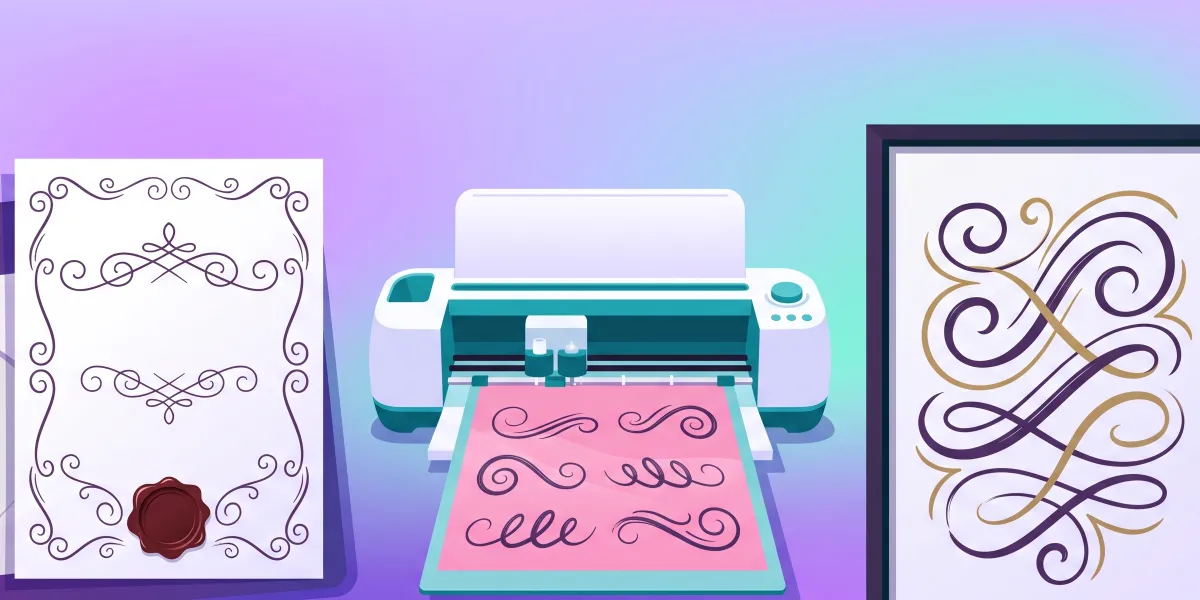
Cursive text from the copy-and-paste tool is made for profiles: a name in your bio, a highlight cover title, a server nickname or a caption that stands out. A cursive font file goes further. People set wedding invitations, place cards and welcome signs in one matching script, cut cursive names from vinyl for mugs, tote bags and wall decals, design logos for candle shops and bakeries, add a signature style to Etsy listings and thank-you cards, and print worksheets that teach children cursive. Because you generate the cursive font yourself, nobody else sells the exact same style, and if you would rather use your own writing, convert your handwriting to a font instead.
Is this cursive font generator free?
Copying cursive text is free with no limit and no account. Making a real cursive font uses credits: an English font costs 100, and your free account starts with 150, so your first cursive font and its full preview cost nothing. To download the font files you need a plan, Starter at $9 a month with 500 credits, Pro at $19 with 5,000 or Studio at $49 with 15,000, or a one-time pack of 300 credits for $9.99 that never expires. Fonts downloaded on Pro, Studio or with a pack may be used commercially, for products you sell or client work; Starter is for personal projects. If a font fails, the credits come back automatically.
How do I get cursive text for Instagram?
Type your text in the cursive font generator above, click the cursive style you like to copy it, then paste it into your Instagram bio, name or caption.
Why do some cursive letters show as boxes?
The phone or app has no glyphs for those Unicode characters. It happens on some older Android devices and TVs; a real installed cursive font does not have this problem.
Can I use copied cursive text in Word or Canva?
It pastes, but it is not a font, so you cannot change its style and some characters may look mixed. For documents and designs, make and install a real cursive font with the second tool.
Is the cursive font generator free?
The copy-and-paste cursive text is free. Making a real cursive font is free to preview with your 150 sign-up credits; downloading the files needs a plan or a credit pack from $9.99.
Do the letters in the generated cursive font connect?
They sit close together and look joined at normal sizes, but each letter is a separate shape without connecting alternates. Use Weld in Cricut Design Space to merge them for cutting.
Can I make a cursive font from my own handwriting?
Yes. Use the handwriting tab of FontQuill and upload a photo of your cursive writing, or fill in the printable template for an exact copy.
Can I sell products made with my cursive font?
Yes, if you downloaded it on the Pro or Studio plan or with a credit pack. Starter downloads are for personal use.